
Choose a project story
Put it in order requires Tirtle Plus. Each story asks you to arrange six actions for a particular project situation.
- Open Games and choose Put it in order.
- Read the story and its context above Your timeline. The right order depends on that situation.
- To try another story, open Stories. Search by words in the story or filter by Topic, then choose a story card.
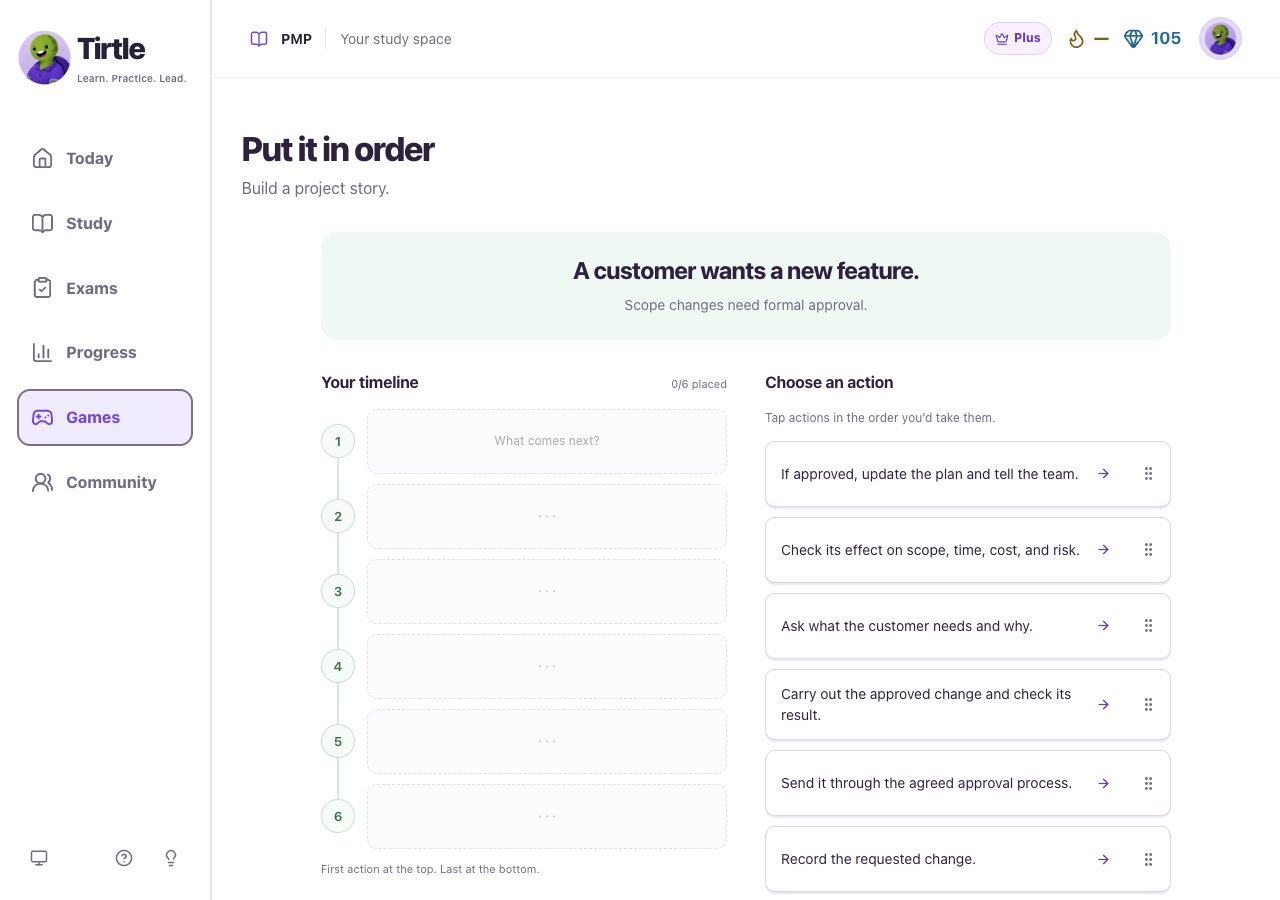
Build your timeline
- Under Choose an action, tap the action you’d take first. It goes into the next open timeline position.
- Keep tapping actions in the order you’d use them. Your timeline reads from top to bottom.
- To rearrange, tap a placed action, then tap its new position. You can also drag its handle.
- To take an action out, select it and choose Return. On a keyboard, focus a placed action and use the up or down arrow to move it, or Delete to return it.
- When all six are placed, read the plan once more and choose Run the plan.
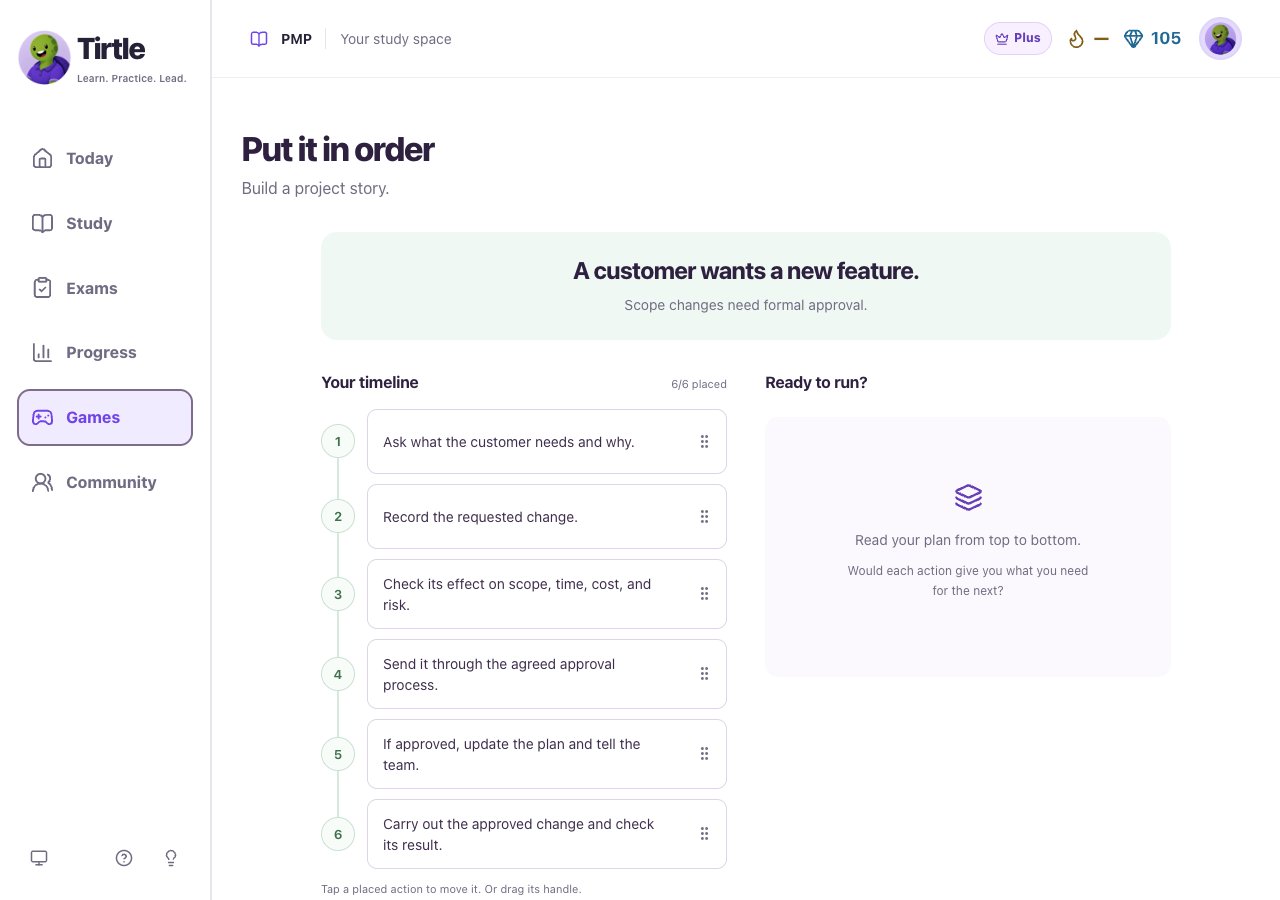
Adjust the order and try again
Hints and retried actions are recorded with the round. The goal is to understand why the order fits this situation.
- If the plan needs another try, read how many actions are in place. Think about what information or approval each action needs.
- Move actions and run the plan again. There’s no need to start the story over just to change the sequence.
- Use Undo for your last move, or Hint for a suggested first action and its reason.
- Open How to play for a reminder of the touch, drag and keyboard controls.
Read the reasoning and save your win
Saving doesn’t publish a post. Each story’s first saved win stays when you replay it. This game teaches a sequence for the given situation; it doesn’t prescribe one universal order for every project.
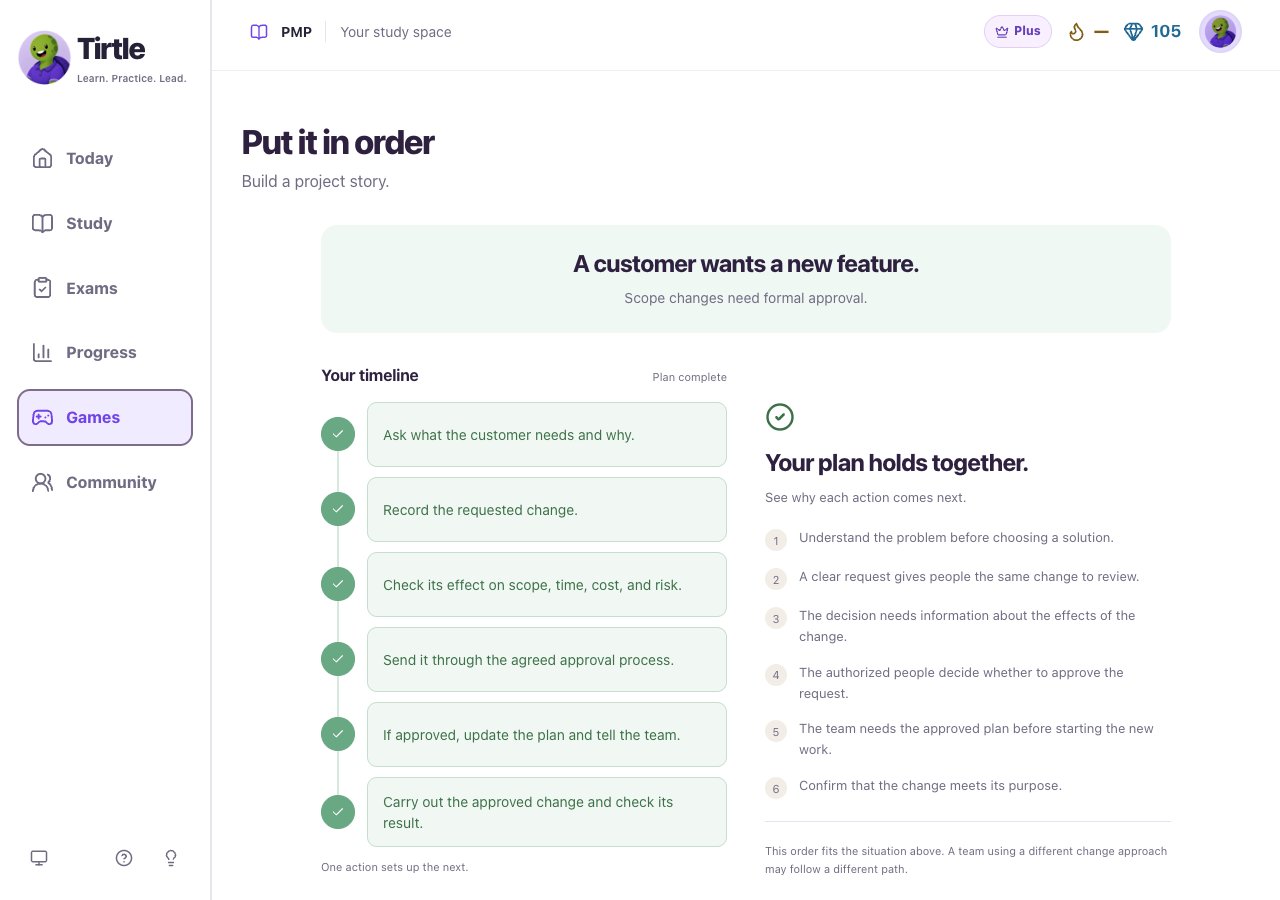
- When Your plan holds together appears, read the reason for each action in order.
- Read the note beneath the reasons. It explains the context or limits of this sequence.
- Choose Save only to save the win to your account, or Share this win to save it and prepare a Community post.
- Choose Next story to continue, or open Stories to pick another situation.
Return to your timeline or start over
The unfinished timeline stays on this browser. Restarting clears that round while saved account wins stay. If the page says your place couldn’t save, keep it open so you don’t lose your current work.
- Use the same browser and account to return to an unfinished timeline.
- Open Stories and choose Restart this story if you want an empty timeline. Confirm Start over, or choose Keep my place.
- Use Retry saving win if the account save fails. A pending win can also be retried from Games later.