Find a puzzle to play
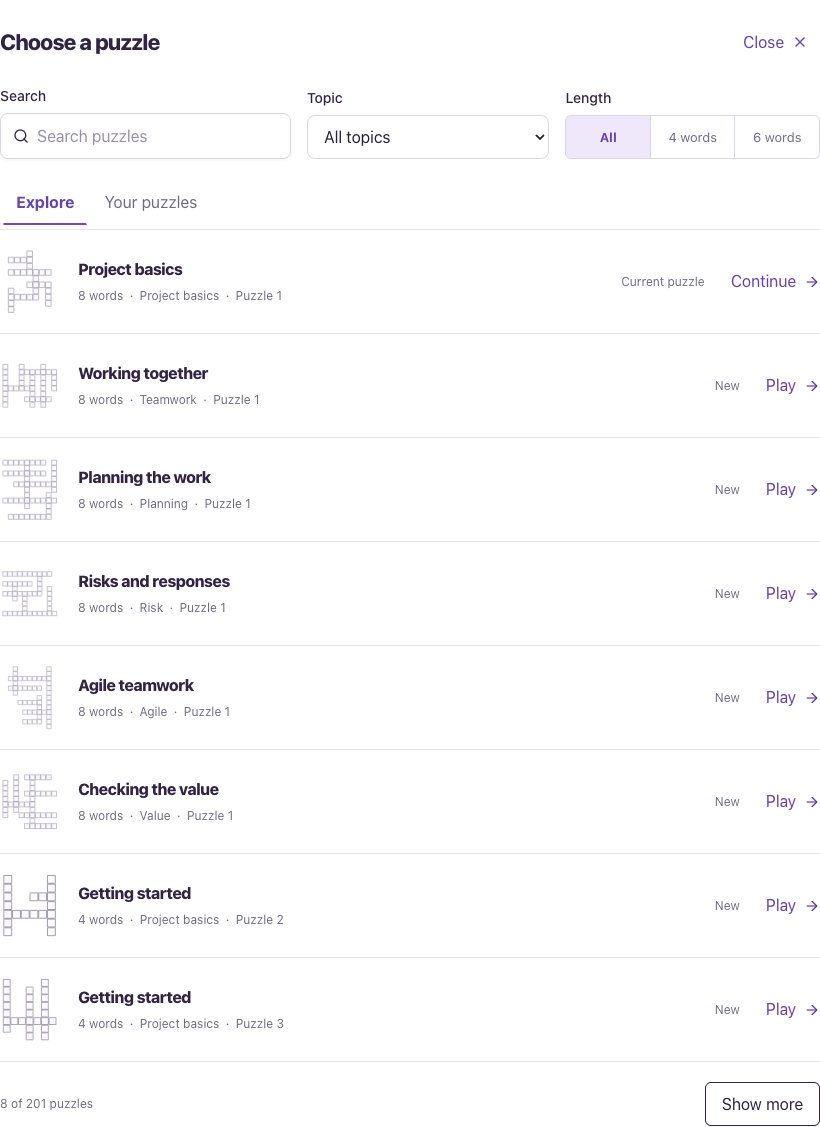
Project crossword is included in Basic and Plus. You can choose another puzzle without completing the current one first.
- Open Games and choose Project crossword. Your current puzzle opens.
- Below the puzzle, choose Choose a puzzle. Use Search, Topic and Length to find a four-word or six-word puzzle.
- Use Explore to find puzzles, or Your puzzles to return to a puzzle you’ve opened on this browser. Choose Play, Continue or Review beside the one you want.
Follow the clue and fill the grid
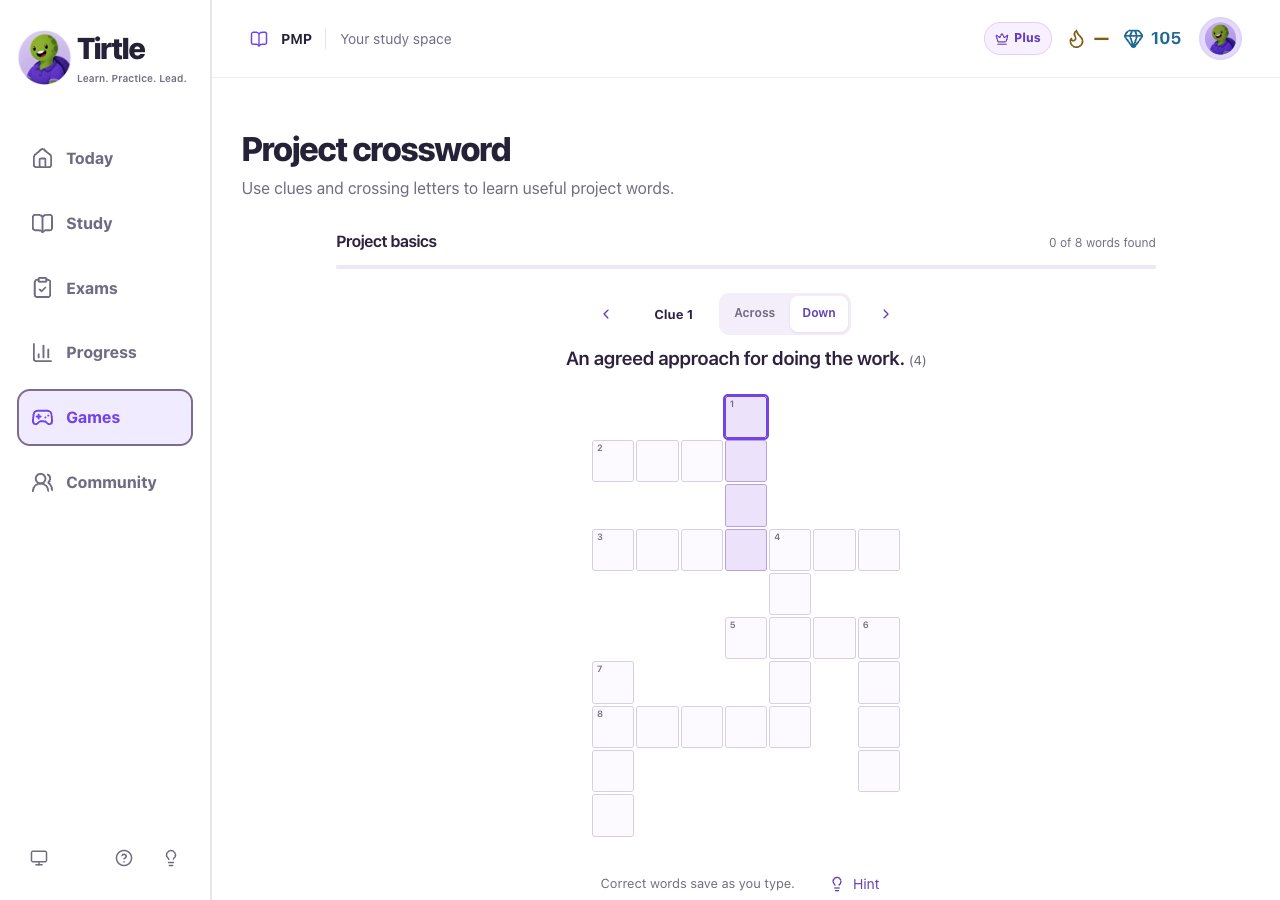
Confirmed crossing letters stay in place while you work on the remaining words. You can keep editing unfinished letters.
- Read the current clue and the answer length beside it. Tap a square in the highlighted word and type your letters.
- Use Across or Down to change direction. At a crossing, tap the same square again or press Space to switch between the two words.
- Choose All clues to pick a particular clue, or use the previous and next clue arrows. Arrow keys also move between squares.
- Correct words are recognised as you type. Read Meaning after a word is found, then choose Next clue.
Use a hint or check an uncertain word
Hints and retries are recorded with the puzzle. They help describe how you practised; you can still finish and save a win.
- Choose Hint under the active clue when you need another clue.
- For a filled word you’re unsure about, open Options and choose Check this word.
- If it needs another try, enter a new answer. Confirmed crossing letters stay; the unconfirmed letters in that word are cleared.
- Choose Larger squares in Options if the grid is hard to use. Choose Normal grid to switch back.
Review the words and keep playing
Saving and posting are separate choices. Each puzzle’s first saved result stays on your account when you replay it. A completed crossword is learning practice, not an exam readiness score.
- Connect every word to reach the completion message. Open Revisit the words to read all the meanings together.
- Choose Save only to save the win to your signed-in account. Choose Share this win if you want to continue to Community and prepare a post.
- Choose Next puzzle for another puzzle in the current topic and size, or Choose a puzzle to browse a different collection.
Return to your place or start over
Puzzle drafts stay on this browser. Clearing browser storage or changing devices can remove that unfinished place. A saved account win stays when you restart. If the page says your place couldn’t save, keep the window open.
- Return in the same browser and account to find your unfinished letters. Use Your puzzles in the chooser to locate earlier puzzles.
- To clear the current puzzle, open Options, choose Restart, then confirm Restart puzzle. Choose Keep playing to cancel.
- If a saved-win attempt fails, choose Retry saving win. Games can also show a pending win so you can retry after reopening it.