
Start a session or choose a topic
Word Quest is included in Basic and Plus. There’s no timer and no limit on tries.
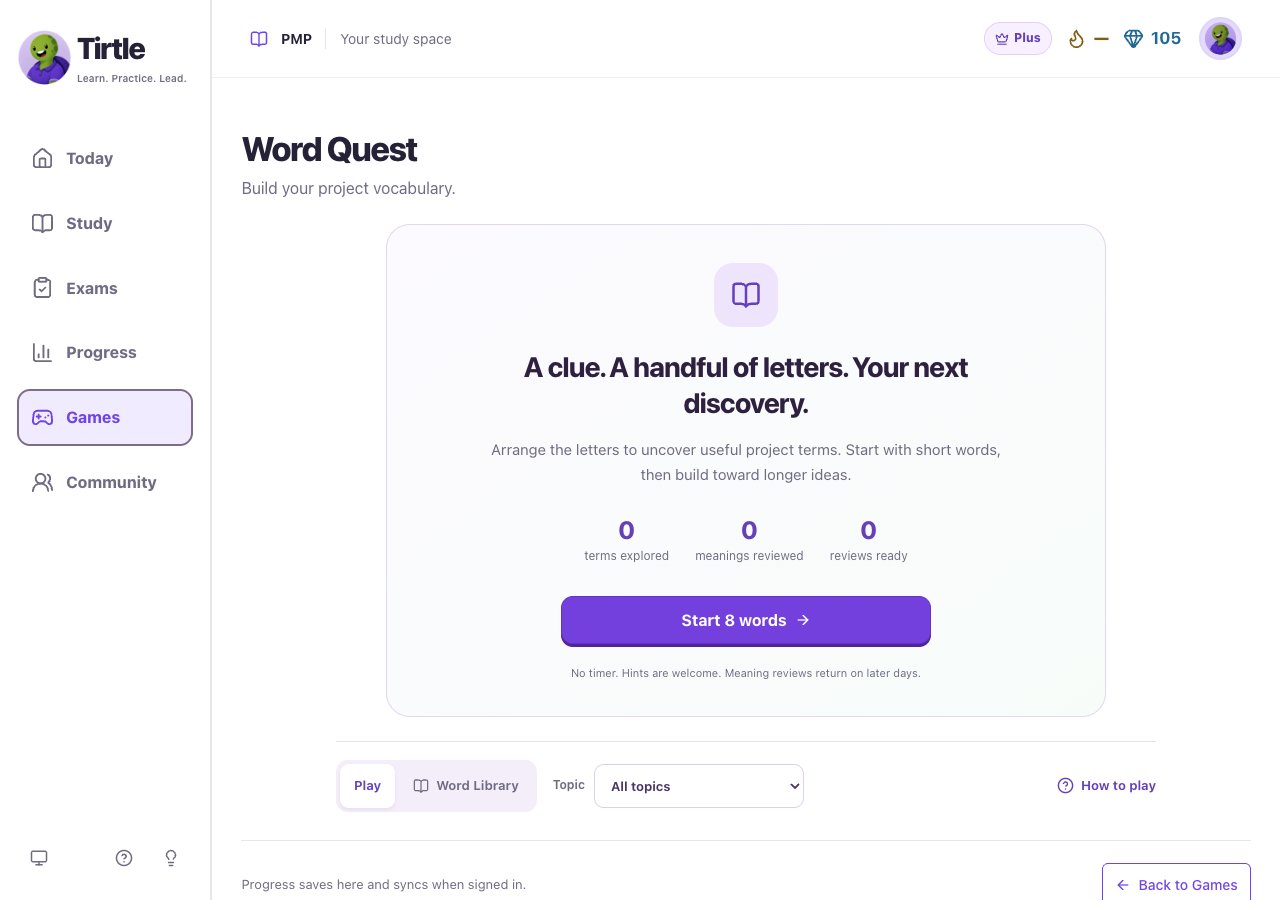
- Open Games and choose Word Quest.
- Use Topic to pick a subject, or leave All topics selected. Your choice applies to the next session.
- Choose Start 8 words. If you’ve already played, continue your current word or open New session and choose Start new session. Your explored terms stay saved.
Build the term from the clue
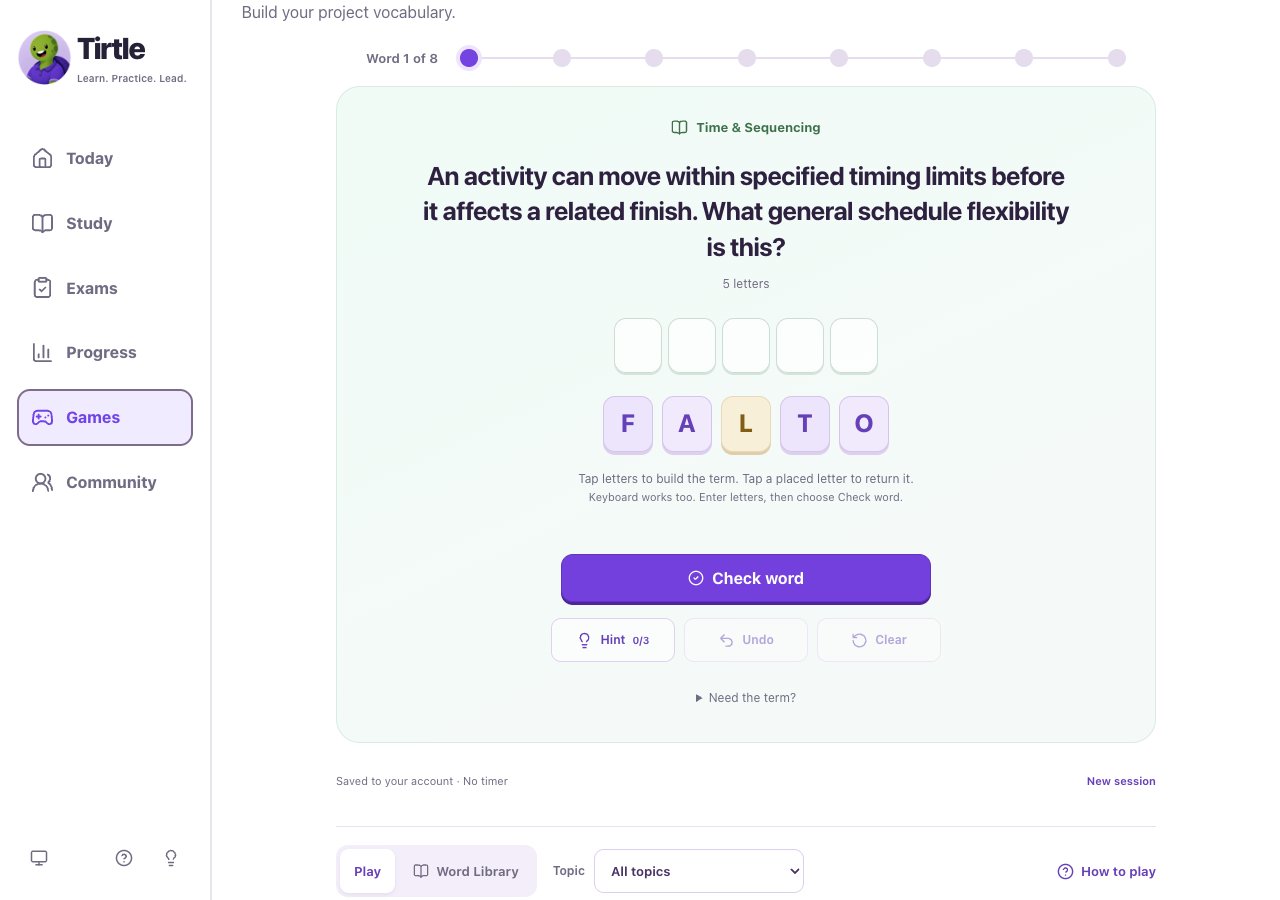
- Read the clue and check the number of letters. Spaces in a phrase are already in place.
- Tap the supplied letters in order. To fill a particular position, tap an empty space first, then a letter. You can also type the supplied letters on a keyboard.
- Tap a placed letter to return it to the tray. Use Undo for the last move or Clear to return your editable letters.
- Choose Check word. If the word doesn’t fit, adjust the letters and try again. When it’s correct, read the explanation before choosing Next word.
Get a nudge when you need one
A revealed word still gives you a useful term to learn. Tirtle records the help and brings the meaning back on another day. Arranging supplied letters is supported practice, even when you didn’t press Hint.
- Choose Hint for help arranging the word. The counter shows how many of the three hints you’ve used.
- Keep any locked hint letters in place and work with the remaining tiles. Clear leaves those hints in place.
- If you’re stuck, open Need the term? Read the clue there, then choose Reveal and learn this term if you want the answer.
Use the library and later meaning reviews
Meaning reviews return on later days. Seeing a definition recently counts as help for that review, so a fresh reminder isn’t treated as remembering it independently.
- Choose Word Library to browse your collection. Search for a term or meaning, or narrow it with Topic.
- Open a term to read its explanation. Its status shows whether it’s new, explored, or reviewed for meaning.
- When Review meanings is available, choose it for words that are ready to revisit. Read the meaning, select the matching term, and choose Check meaning.
- Read the connection after your answer, then continue. These reviews use meaning choices instead of letter tiles.
Finish, save and share a discovery
Revealed words and meaning-review answers don’t show the same game-win controls as a solved letter puzzle. Saving a win doesn’t publish a Community post. If syncing or browser storage fails, keep the page open and use the offered retry control before leaving.
- After the last word, choose Finish session. You can start another session or return to the library.
- Check the saving message below the word. Signed-in Word Quest can show Saved to your account; device-only play shows Saved on this device.
- For a word you solved, choose Save only to save its win, or Share this win to save it and open Community. You’ll choose what to post there.