
Choose the notes you want
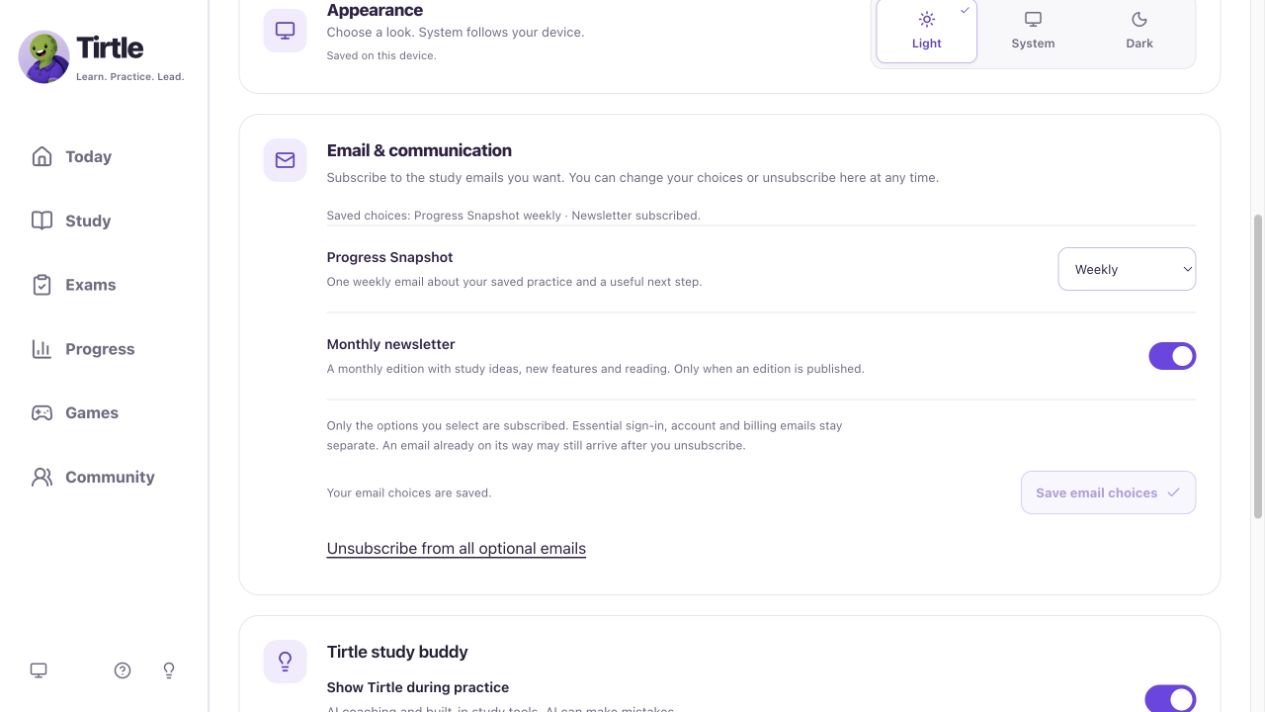
Progress Snapshot is one weekly email about your saved practice and a useful next step. The newsletter is a monthly edition with study ideas, reading and occasional product news. It arrives only when an edition is published. Both are optional.
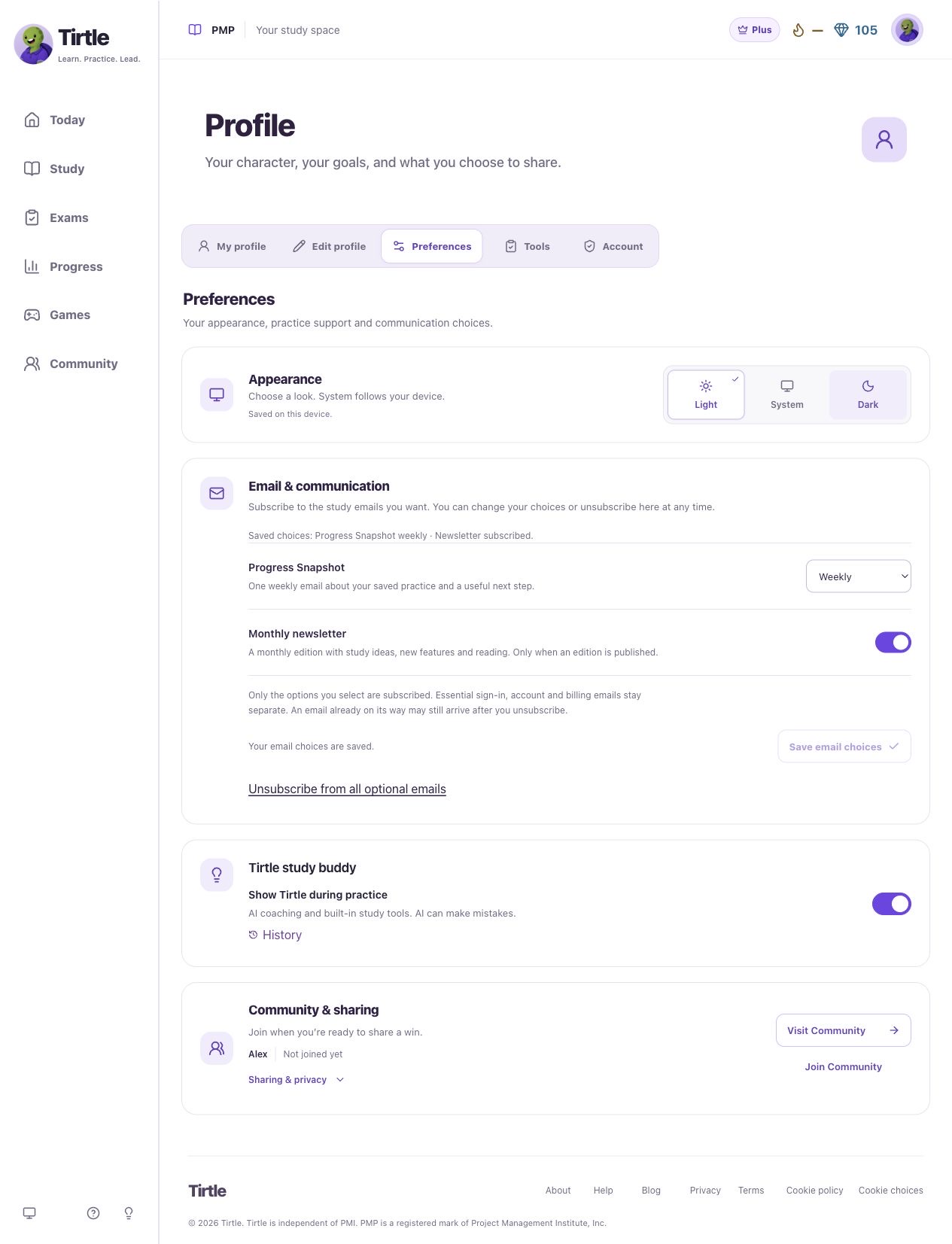
- Open Profile, then Preferences.
- Find Email & communication.
- Set Progress Snapshot to Weekly or Off.
- Turn Monthly newsletter on or off.
Save your choices
Saving your choices does not send an email immediately. The Saved choices line shows the subscriptions currently saved to your account. Essential sign-in, account and billing messages stay separate from these options.
If an older Monthly Snapshot choice appears, choose Weekly or Off to update it. If saving fails, keep your changes open and retry.
To stop both optional emails at once, choose Unsubscribe from all optional emails. Wait for You’re unsubscribed from all optional emails. You can subscribe again here at any time. An email already on its way may still arrive after you unsubscribe.
- Choose Subscribe to selected emails when adding a subscription, or Save email choices when changing an existing choice.
- Wait for Your email choices are saved, or the unsubscribe confirmation if you turned both options off. Check the Saved choices line before leaving.
- Return here any time to change your choices. To subscribe again, select the emails you want and choose Subscribe to selected emails.
Unsubscribe from an email link
No sign-in is needed to unsubscribe through the link. Opening Tirtle’s confirmation page does not change your choices. Its unsubscribe button turns off only that type of email, including any still waiting in Tirtle’s queue. An email already on its way may still arrive. Your other choices and essential account messages stay separate.
If the link is invalid or expired, or your choice cannot save, sign in and open Profile > Preferences > Email & communication instead. To subscribe again, select the optional emails you want and choose Subscribe to selected emails.
- Open the unsubscribe link in a Tirtle newsletter or Progress Snapshot.
- Read Unsubscribe from newsletters? or Unsubscribe from Progress Snapshots? to check which email choice you’re changing.
- Choose Unsubscribe from newsletters or Unsubscribe from Progress Snapshots. Wait for You’re unsubscribed from newsletters or You’re unsubscribed from Progress Snapshots.